Give Your Pawn Customers Their Loans at Their Fingertips
The FinApp customer mobile app lets customers view their pawn loans, check outstanding balances, see interest due, make payments and access loan information directly from their mobile phone.
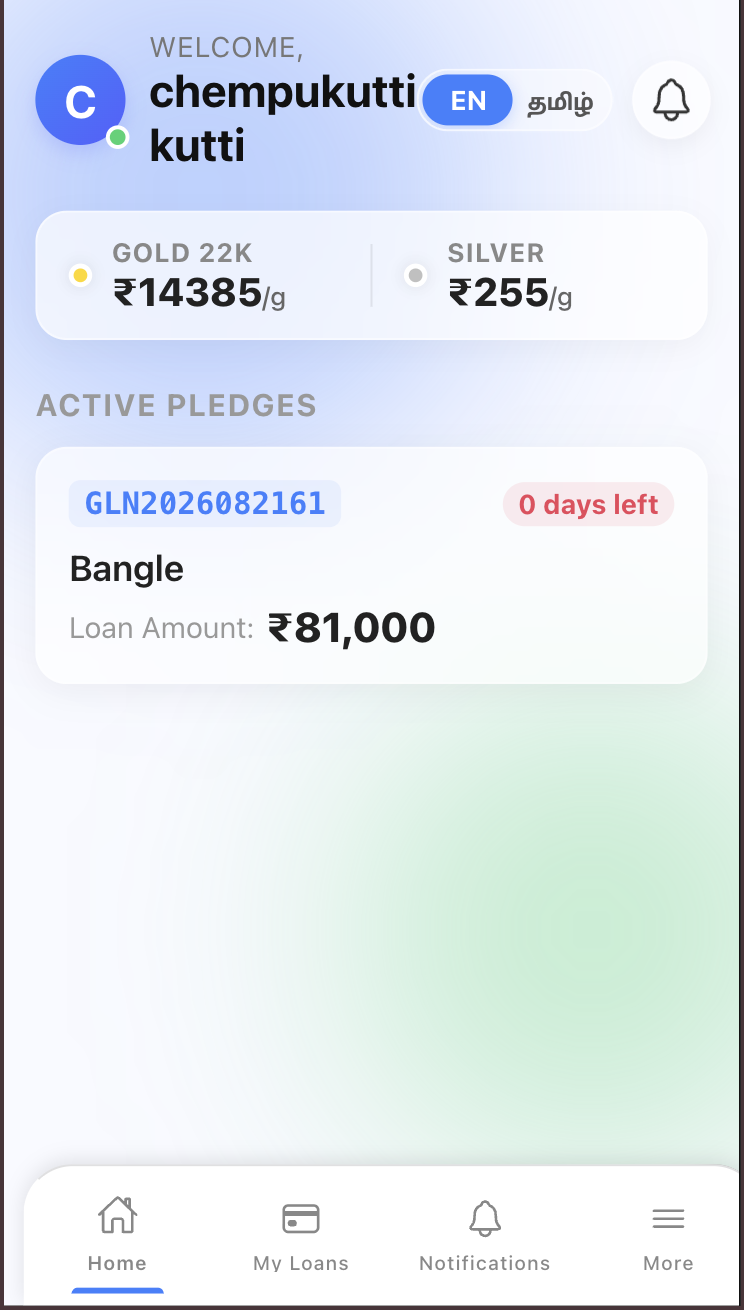
See How the FinApp Customer App Works in Practice
The screens shown below are examples from the FinApp customer mobile application. They demonstrate the actual customer workflow for viewing pawn loans, checking outstanding amounts, selecting payment options and reviewing loan information.
What is the FinApp Customer Mobile App?
The FinApp customer mobile app is a mobile application that gives pawn loan customers direct access to their loan information and payment services.
What Can Customers Do with the FinApp Mobile App?
Customers can access important pawn loan information and perform supported actions directly from their phone.
View My Loans
Customers can view their active and closed pawn loans, including loan numbers, outstanding principal, interest due and applicable loan details.
Make Loan Payments
Customers can select an available payment option and proceed with eligible loan payments from the mobile application.
Payment History
Customers can access their loan and payment information to understand previous transactions and current account status.
Family Loans
Where supported, customers can access relevant family loan information from the customer mobile experience.
Notifications
Important customer notifications can be delivered through the application so customers can stay aware of relevant loan activity.
Loan Documents
Customers can access supported loan information and documents from the mobile application.
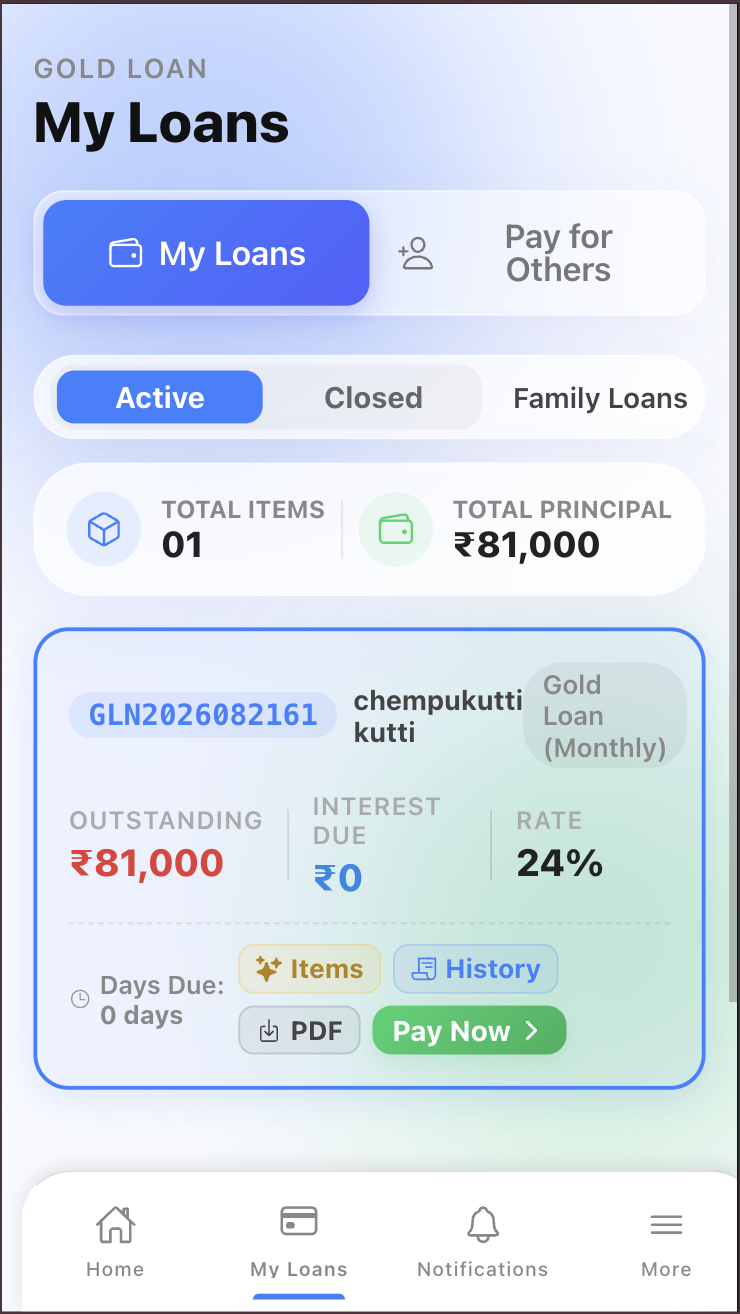
Customers Can See Their Pawn Loans in One Place
The My Loans screen gives customers a clear view of their loan accounts. They can identify active or closed loans and see important financial information without searching through paper records.
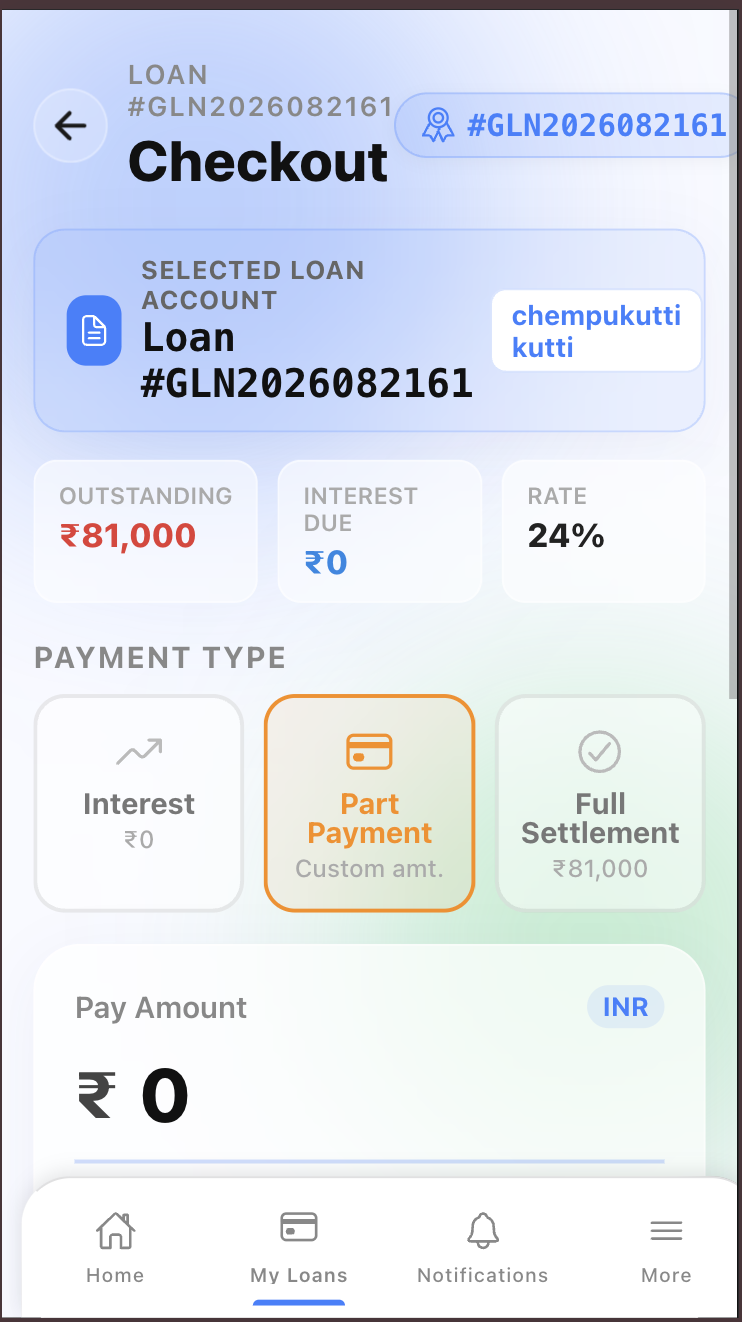
Let Customers Choose the Payment Type They Need
The FinApp mobile payment workflow allows customers to select an available payment type and review the amount before proceeding. The screen clearly displays the loan account, outstanding amount, interest due and settlement information.
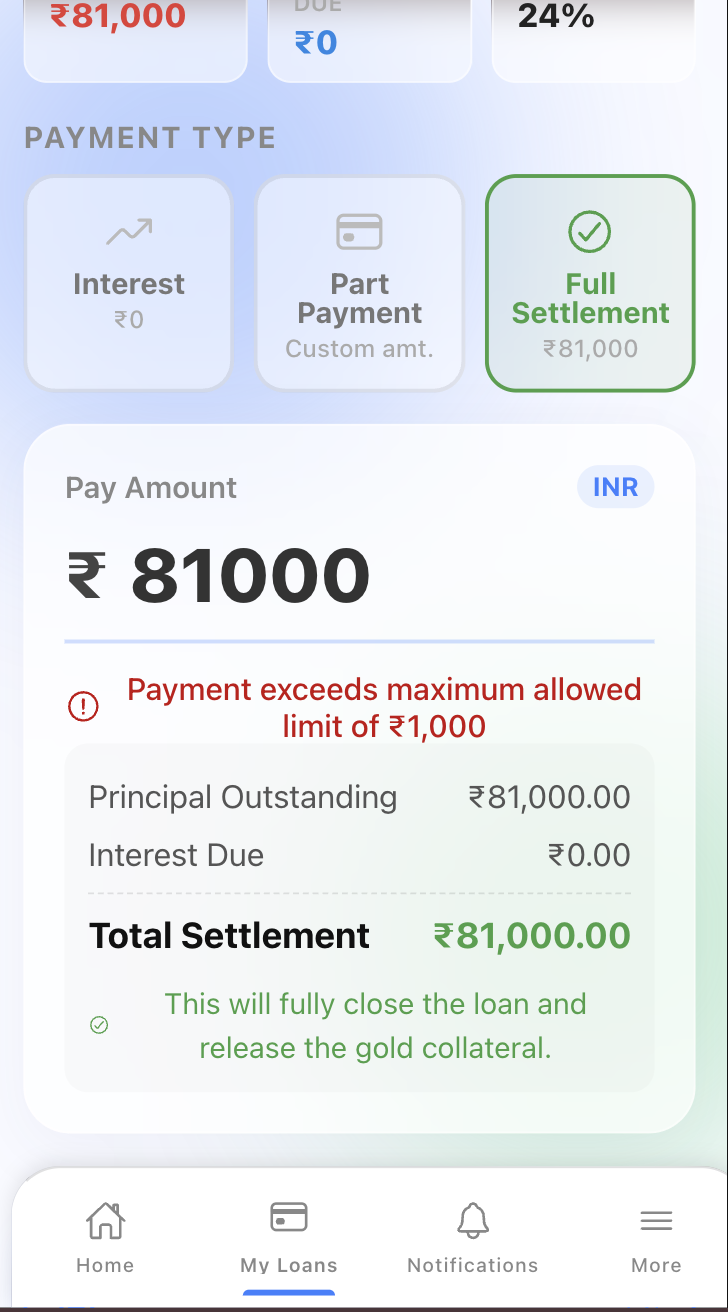
Customers Know Exactly What They Are Paying
Before completing a payment, the app presents the selected loan account along with the outstanding principal, interest due, applicable rate and payment amount. This gives the customer a clear view of the transaction before proceeding.
A Better Way for Customers to Stay Connected With Their Loans
Give customers convenient access to important loan information while reducing routine enquiries at the counter.
Anytime Access
Access supported loan information from a mobile device.
Better Visibility
Customers can clearly see their loan status and financial information.
Mobile Convenience
Keep important loan services available through mobile.
Timely Updates
Keep customers informed through relevant notifications.
How Does the FinApp Customer App Work?
Access the App
Customer accesses the FinApp mobile experience.
View Loans
View active loans and relevant outstanding information.
Make Payment
Select an available payment option and review the amount.
Stay Updated
Continue accessing loan information and relevant updates.
Explore Other FinApp Features
Discover more features to simplify your pawn broking operations.
Pawn Broking Software Across Tamil Nadu
Explore FinApp in major locations across Tamil Nadu.
Pawn broking software in Tamil NaduQuestions About the FinApp Customer Mobile App
Give Your Customers a Better Way to Manage Their Loans
Connect your pawn business with a customer-friendly mobile experience for loan visibility, payments and updates.